Open Source · Self-Hosted

Your files.
Your home server.

A self-hosted file and media app for your home LAN. Browse, stream, and search your files; optionally use an LLM for tag suggestions, summaries, and Q&A. Runs entirely on your own hardware.

Docker-based LAN-only Free & open source

localhost:3000
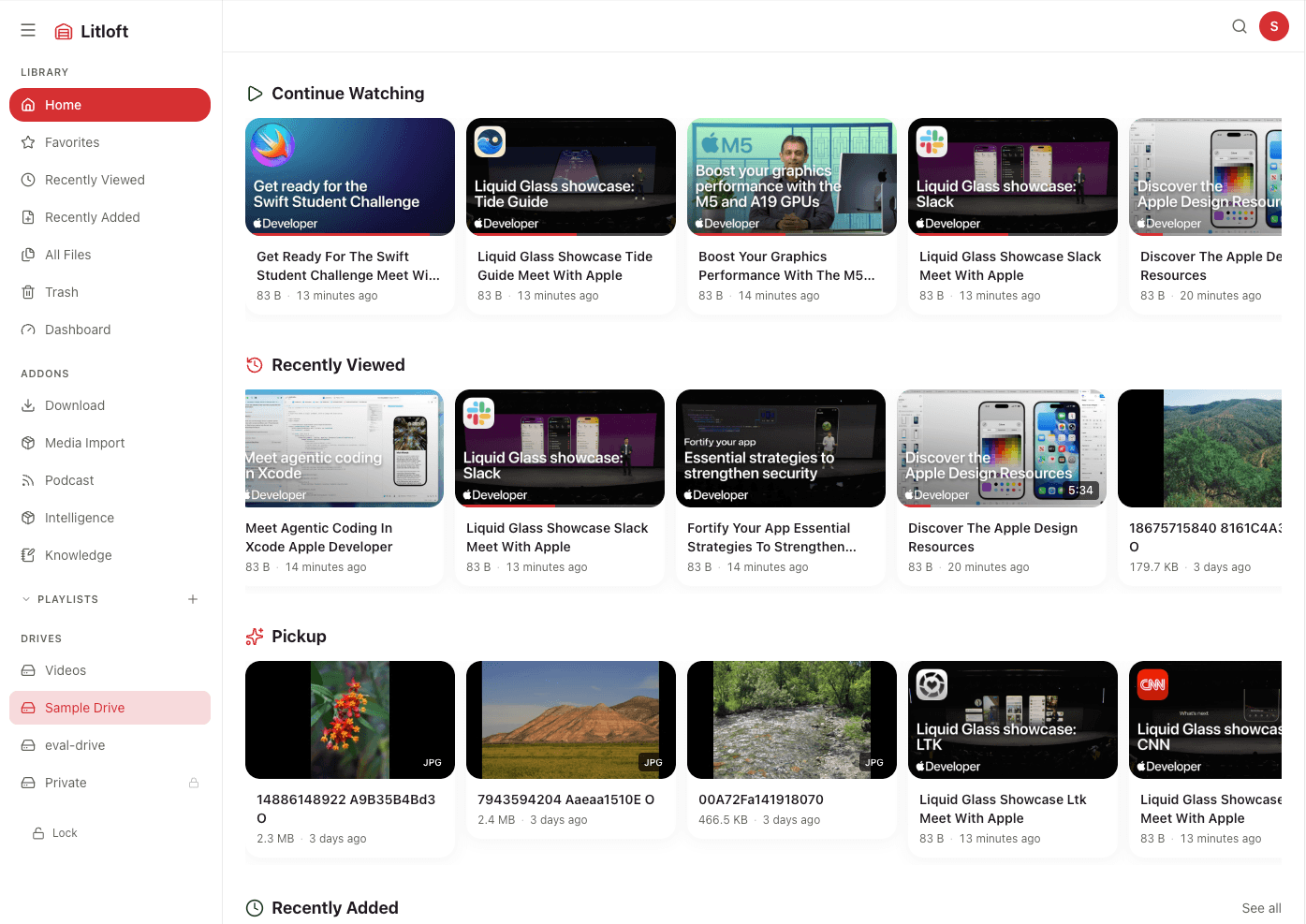
Litloft home screen showing Continue Watching and Recently Added
Intelligence

Natural-language Q&A over your media

With the optional Intelligence addon, an LLM can answer questions about your media library and return citations linked back to the original clip or document. Works with any OpenAI-compatible endpoint; a local LLM is recommended.

  • Natural language Q&A over video transcripts
  • Every answer is grounded in your actual transcripts, with cited source clips
  • Works with any OpenAI-compatible LLM, including local models via Ollama
Hardware note: Indexing is CPU-intensive. Whisper (transcription) requires 0.5–3 GB RAM depending on the model you choose. Plan for at least 2 GB free RAM when running the Intelligence addon.
localhost:3000 › Intelligence
Knowledge

YouTube → AI summary, automatically

Import YouTube channels you follow. Litloft fetches captions, then AI summarizes each video automatically — creating a searchable, AI-indexed personal knowledge base from your watchlist. For local video files, transcription is handled by Whisper.

  • YouTube captions fetched automatically; local files transcribed with Whisper
  • AI summaries with structured bullet points
  • AI-suggested tags for every video, one click to approve
localhost:3000 › Videos
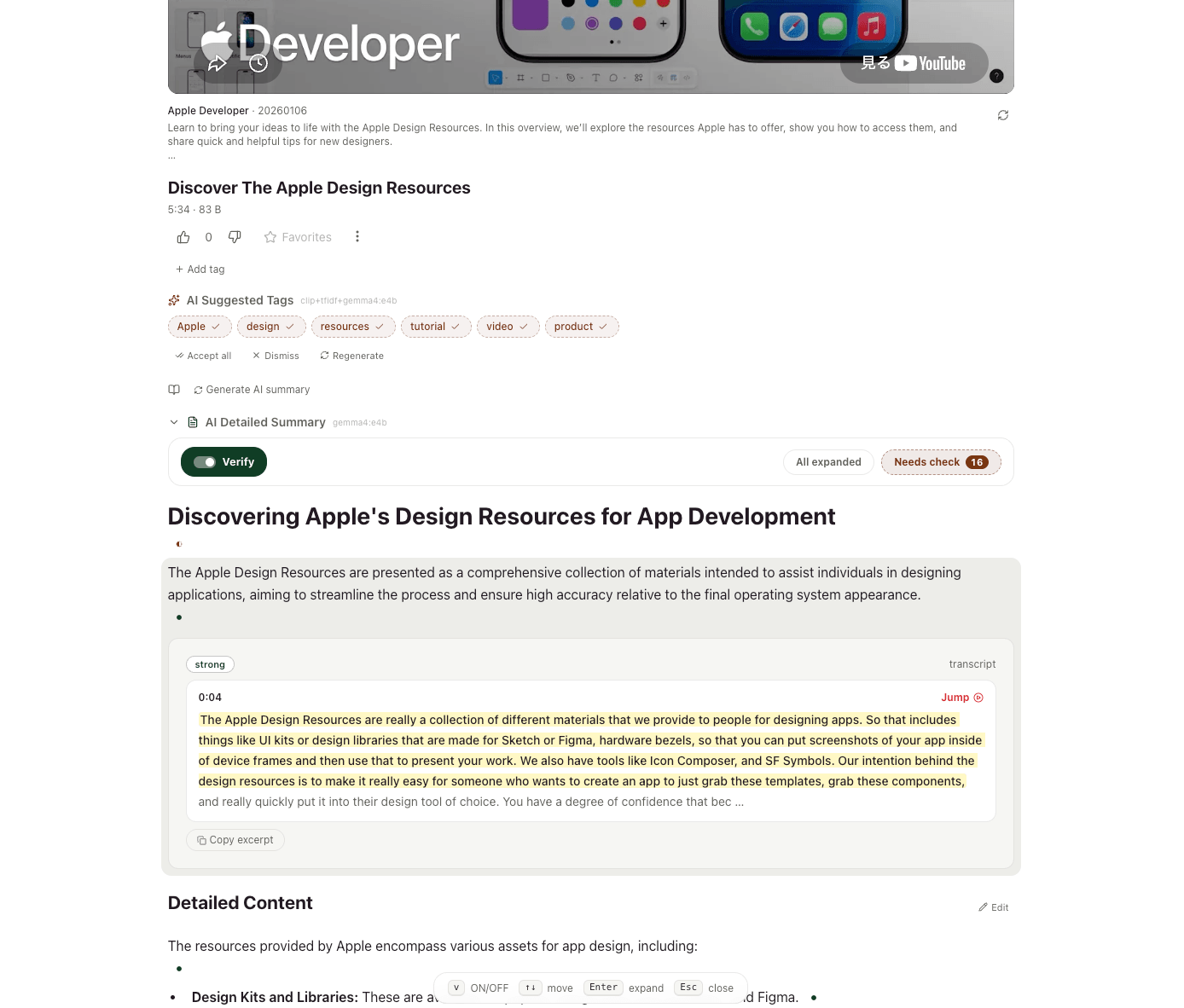
Litloft file detail showing AI suggested tags, summary, and verified citations
Streaming

Beautiful streaming, pick up where you left off

Smooth video playback for all your media — across every device on your home network. Resume at the exact moment you stopped, with playlists, favorites, and smart continue-watching built in.

  • Video, audio, images, PDFs — all in one place
  • Cross-device playback position sync (LAN)
  • Auto-generated thumbnails and rich metadata
localhost:3000 › Videos
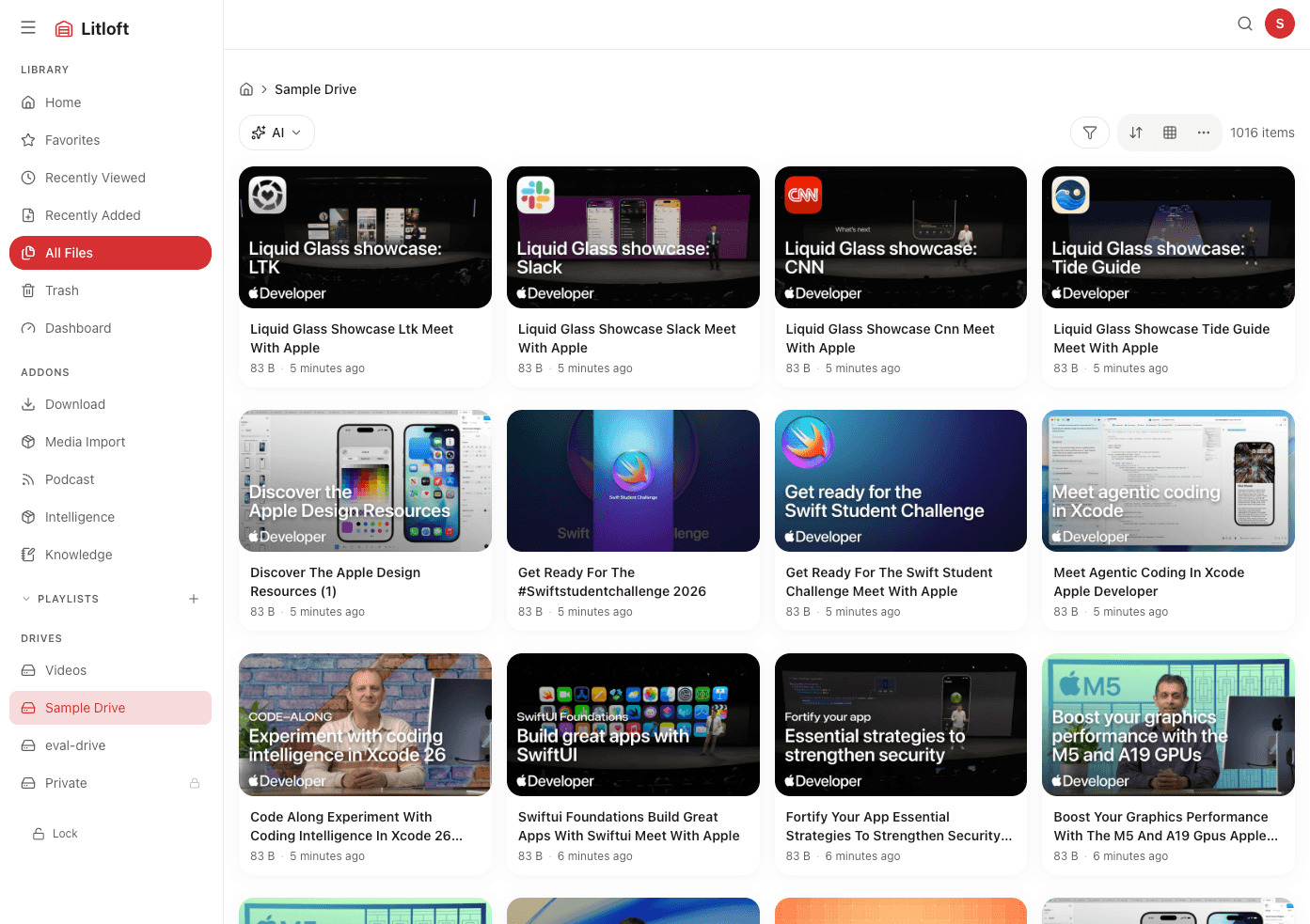
Litloft All Files view showing video library with thumbnails
Internals

How Intelligence indexes your media

Every file is processed through a multi-channel pipeline and stored in a local vector database — no external database required.

Indexing
Video / Audio
faster-WhisperCTranslate2
transcript chunkstimestamped
text embeddingmultilingual-e5 / Ruri
vec_text
+ FTS5
Images
SigLIP2 / CLIPwaon-siglip2 / llm-jp
· · ·
vec_clip
Video frames
ffmpeg
+ scenedetectkey frames
CLIP ViT+ BLIP caption
image embedding
vec_clip
+ FTS5
PDF / Text / Subtitles
text extractionpdfminer etc.
segments
text embedding
vec_text
+ FTS5
All vectors stored in sqlite-vec (L2 distance) — no external database
Search — 5 channels, parallel
vec_text text embedding L2
vec_clip SigLIP2 / CLIP embedding L2
FTS5 metadata title / filename / tags
FTS5 transcript Whisper / subtitle text
FTS5 text_content PDF / text body
precision mode weighted cosine merge + strict cutoff
recall mode Weighted RRF — transcript ×1.5, clip ×0.2
Ask — cited answers
Query → keyword extraction (LLM)
5-channel recall search
access control filter (Internal API)
context assembly (transcript ±30 s / BLIP captions)
LLM stream (OpenAI-compatible)
citation whitelist validation — unknown file IDs dropped
Setup

Up and running in minutes

Git, Docker, and Python 3 are the only prerequisites. Everything else runs inside containers.

1

Clone the repository

Use --recurse-submodules to include the bundled addons (Intelligence, Knowledge, Cloud Sync) in one go.

git clone --recurse-submodules https://github.com/mamepenguin/Litloft
cd litloft
2

Run the setup wizard

configure.py is an interactive CLI that generates all configuration files for you. Run it once to get started, and re-run any time you want to change settings.

python3 configure.py
Drives Enter the number of drives and the absolute path on your host for each one. Litloft mounts them read-only in the container.
Port The default port is 3000. Change it if you need to run multiple instances or avoid a conflict.
Password protection optional Assign an access group to each drive and set a password. Drives without a group are accessible to anyone on your LAN. If passwords.json is not present at all, all drives are public regardless of group settings.
Intelligence addon optional Choose a Whisper model for local video transcription, a text embedding model for semantic search, and an LLM provider for AI features. An LLM is required for auto-tagging, summaries, and the Ask feature — see the note below. Whisper: small ~500 MB · turbo ~1.2 GB · large-v3 ~3 GB RAM. Indexing is CPU-intensive; embedding and transcription run in the background.
Knowledge addon optional A linked Markdown notes vault. Secrets are auto-generated; no manual config needed.

The wizard writes docker-compose.override.yml, drives.json, passwords.json, and addons/intelligence/search-config.yml — all editable by hand later.
3

Start Litloft

Build and start the containers. On first run this pulls base images and downloads the Whisper and embedding models — expect a few minutes.

docker compose up -d --build
# Open http://localhost:3000 when ready
Using AI features (Intelligence addon)

Auto-tagging, summaries, and the Ask feature require an LLM. configure.py supports two options:

  • Local (recommended) Install Ollama on your host and pull a model. Litloft connects to it at http://host.docker.internal:11434. Your data never leaves your machine.
  • API Use OpenAI, DeepSeek, or any OpenAI-compatible endpoint. Enter your base URL and API key when prompted. File content is sent to the API during indexing and Ask queries.

Semantic search and transcription work without an LLM — only the text generation features are gated behind it.

Extensible

Supercharge with addons

Install only what you need. Each addon is an independent service you enable via Docker Compose.

Intelligence

Search, Q&A, tag suggestions, and summaries using an LLM. Works with any OpenAI-compatible API; a local LLM is recommended.

Knowledge

Linked notes for your media files. Build a personal wiki connected to your videos, podcasts, and documents.

Cloud Sync

Back up your drives to any cloud storage provider via rclone — S3, Backblaze, Google Drive, and more.

Media Import

Import media from URLs as .loft references with metadata, captions, and provider-specific embeds.

Run Litloft on your
own hardware.

Docker-based, LAN-only, free and open source.

Self-hosted. LAN-only. Free and open source.